Culture · Essay
How to preserve digital memories, in the order that actually matters
Most guides start with backup. Backup is the easy part, and it is not what loses family memories. What loses them is nobody writing down who is in the photographs. A working method, in five steps, in priority order.Written to last.
By Confinity Editorial · 2026-04-23 · 6-minute readQuiet tools, kept out of the way.
The standard advice on preserving digital memories starts with backup, and the standard advice has the priorities backwards.
Hard drives do fail, and we will get to that. But almost nobody's family memories are lost to a disk failure. They are lost the slower way: eighty thousand photographs, safely copied in three places, that nobody living can explain. The files survive. The memories do not, because a memory needs a person attached, and the person was never written down.
So here is the whole job, in five steps, in the order that actually matters.
Archivists select. It is the first thing they do and the thing amateur preservation always skips.
A phone accumulates thousands of images a year, and most are duplicates, screenshots, receipts and seven attempts at the same shot. Keeping everything feels safe and does the opposite: it buries the two hundred images that matter under the twenty thousand that do not, and guarantees nobody will ever go through them.
Pick the ones that carry the family. The faces, the houses, the ordinary days that will be unrecognisable in forty years. An afternoon of ruthless selection does more for your descendants than a decade of automatic cloud backup.
This is the step that separates an archive from a pile, and no software does it for you.
Who is in it. When it was taken, even roughly. Where. Why it mattered, if it did. The test is simple: could a stranger, holding this file in fifty years, work out what they are looking at?
Every family owns photographs that already fail this test: the box of unlabelled prints from the 1960s, faces nobody can now name. The lesson was not learned. The same families are building the identical problem at a hundred times the volume, minus even the handwriting on the back.
The labels must live where the file lives, not in your head and not in an app that will not exist in twenty years. Write them into the file's metadata, into a plain-text file that travels with the folder, or into an archive built to hold them.
Photos in a social account, a chat history, or one company's cloud are not preserved. They are hosted, which is a different thing, and the difference shows up the day the account is closed, the platform retires, or the person dies and nobody can get in.
Platforms go. The ones that took the family photos of the 2000s, the photo-sharing sites and the early social networks, largely no longer exist, and what was only there went with them.
Export while it is easy. Most large platforms have a takeout or export tool. Use it once a year, and put the result somewhere you control. And check the export is real: open it, and see whether the photographs came out at full resolution and whether anything you wrote came with them.
Now the part everyone starts with, which is the simple part.
Formats: choose boring. JPEG for images, MP4 for video, PDF and plain text for documents. Obscure formats and proprietary project files are how content becomes unreadable while perfectly intact. The Book of the Dead pages in Victorian collections were preserved and unreadable for decades; a family archive in a dead format is in the same position.
Copies: three of them, on two kinds of storage, one somewhere else. That is the 3-2-1 rule, and it has held up because it covers the three ways storage actually fails: the device dies, the format of storage ages out, the house floods. A laptop, an external drive, and a cloud copy satisfies it.
And migrate. Storage media age out roughly every decade: the drive with the files needs its contents moved to a new one before the old one becomes a museum piece. A calendar reminder every three years is enough.
An archive nobody knows about is a skip-load waiting for a house clearance.
Somebody in the family needs to know that it exists, where it is, and how to get in. If any of it is behind a password, that password needs to be reachable when you are not, through a password manager's emergency access, a sealed note, or a service built for legacy access. This is the step people find morbid and it is the one that decides whether everything above was for anything.
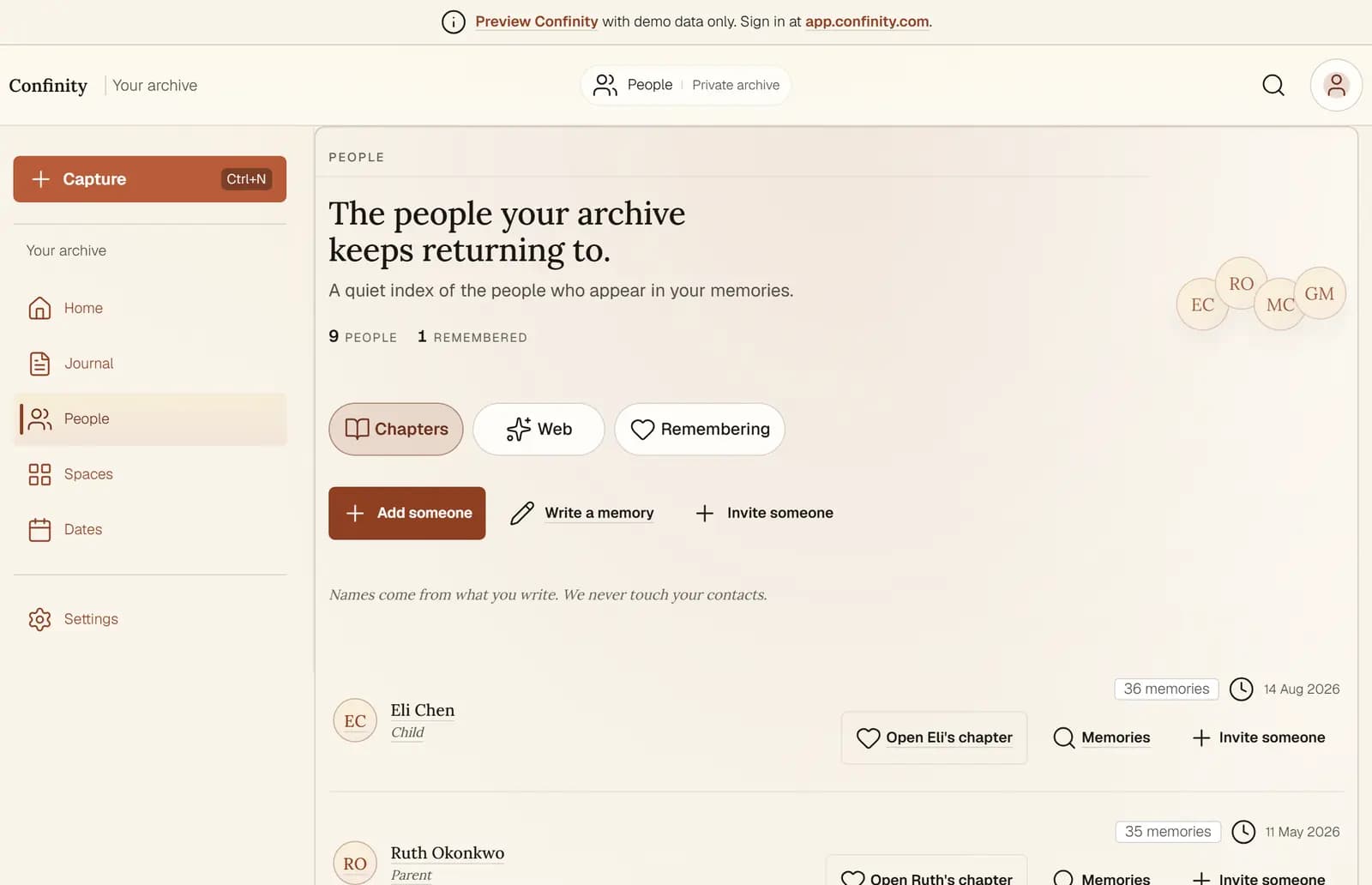 Confinity is built around steps two and five, because those are the ones tools have historically ignored. It is a private family archive: the labelling, meaning who, when, where and the story, is the core activity rather than an afterthought, everything exports in open formats whenever you want it, and the archive is designed to be handed on rather than to die with an account.
It does not replace step four. Keep your exports and your copies wherever you keep them. An archive you can leave at any time, with everything, is the only kind worth putting a family's memory into.
Select two hundred things. Write who, when and where on each. Export what lives in platforms. Put three copies in three places. Tell one person.
That is the entire discipline, and it is a Sunday afternoon. The families who are legible in eighty years will not be the ones with the most files. They will be the ones where somebody did this.
Confinity is built around steps two and five, because those are the ones tools have historically ignored. It is a private family archive: the labelling, meaning who, when, where and the story, is the core activity rather than an afterthought, everything exports in open formats whenever you want it, and the archive is designed to be handed on rather than to die with an account.
It does not replace step four. Keep your exports and your copies wherever you keep them. An archive you can leave at any time, with everything, is the only kind worth putting a family's memory into.
Select two hundred things. Write who, when and where on each. Export what lives in platforms. Put three copies in three places. Tell one person.
That is the entire discipline, and it is a Sunday afternoon. The families who are legible in eighty years will not be the ones with the most files. They will be the ones where somebody did this.
1. Select
2. Label, which is the actual work
3. Get it out of the platforms
4. Boring formats, and the 3-2-1 rule
5. Tell somebody